Quick Git Explanation with Cheat sheet
Git commands with keyword explanation

I am a fullStack developer from India
Git:
Git is a version control system. It tracks the changes in the repositories and reserves the log of the changes. Git put files at three stages:
- untracked files
- staged files
- committed files
Some of the basic git commands are:
- git config -- global
- user.name "user-name"
- user.email "user-email"
- git init
- git add
- git commit
- git remote add origin
- git push
- git clone
- git pull
- git status
git config -- global:
This command is used to set Git configuration values on a global or local project level. This command mostly needs while doing initial git setup in the computer.
git config -- global
You can set your user name and Email.
git config -- global user.name "alokverma"

git config -- global user.email "alok123@gmail.com"
git init:
This command is used to make a local repository accessible to git. At first all the files are untracked.
git init
This will create a .git file into the repository through which git can keep track of all changes. The files which are not supposed to be tracked should be mentioned in .gitignore file
git add:
This command is used to add changes in the working directory to the staging area.
git add file-name
OR
git add .
. will add all the untracked files into the staging area.
git status:
This command is used to check the status of the staged and unstaged files in the git repository.
git status
git commit:
This command captures a snapshot of the project's currently staged changes.
git commit -m "commit message goes here"
-m flag is necessary and used to write a commit message.
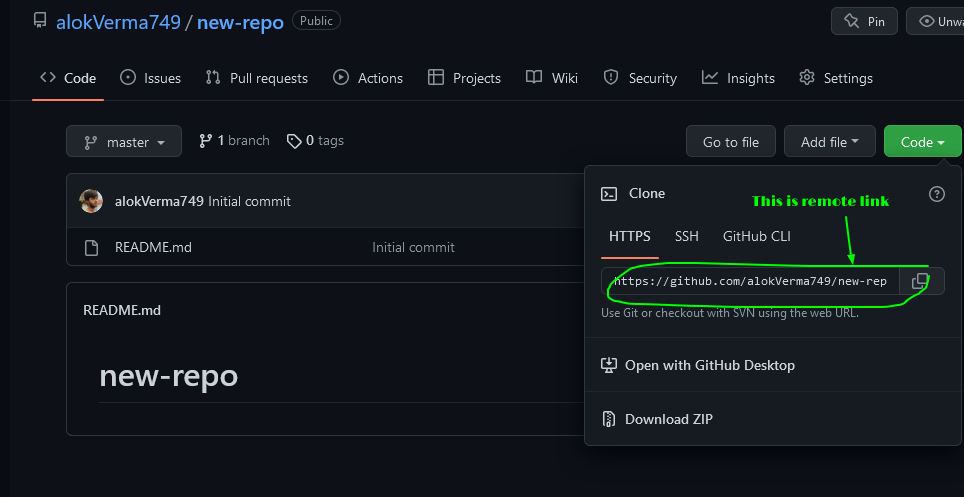
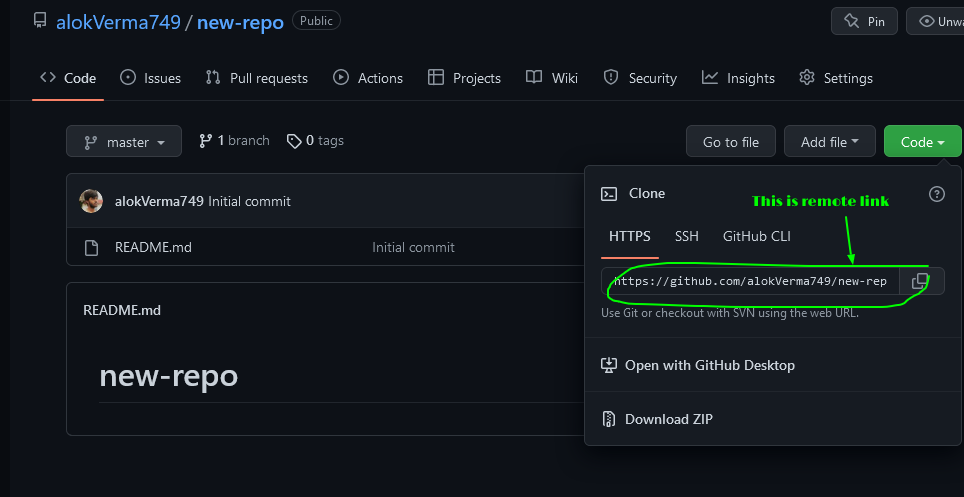
git remote add origin :
This command is used to add/connect remote repository to the local repository. Now after connection one can easily publish the code remotely and other members can also access the code and also contribute to it.
origin is another name of the remote repository.
git remote add origin https://alokVerma749/new-repo.git
git push:
This command is used to push the committed files to the remote repository
git push origin master
git pull:
This command is used to pull the changes from remote repository to the 'local repository
git pull origin master
origin represents remote repository and master represents the branch you are pulling from.
git clone:
This command is used to clone the remote repository to the local machine.
git clone remote-link